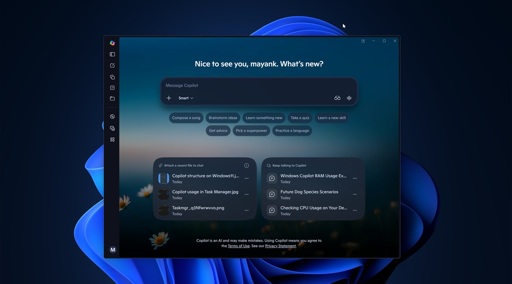
How to disable Copilot
For Pro, Enterprise, or Education users
Press Windows + R, type gpedit.msc, and press Enter. Navigate to User Configuration > Administrative Templates > Windows Components > Windows Copilot. Double-click “Turn off Windows Copilot,” select “Enabled,” then click Apply and OK. Restart your computer for the changes to take effect.
For Home users
Home users without access to the Group Policy Editor can disable Copilot via the Windows Registry. Press Windows + R, type regedit, and press Enter. Navigate to HKEY_CURRENT_USER\Software\Policies\Microsoft\Windows. Create a new key named WindowsCopilot if it does not exist. Inside this key, create a new DWORD (32-bit) value named TurnOffWindowsCopilot and set its value to 1. Restart your computer to apply the change.
I disabled it with a Linux install.
Best possible comment
Also Windows kinda seems like it’s a horribly confusing mess to me but maybe I just don’t understand it
It works! It really saves 1GB ram!
You can also enable Group Policy Editor for Home Edition if you’re willing to run a batch file from the internet.
Its generally pretty easy for me to know what’s slowing down my work laptop.
Microsoft Teams is the hogzilla of resource hogs.
I don’t mind the idea of CoPilot. The problem is that CoPilot works for Microsoft, not for me.
It would be cool if the OS-AI could take a look at the Windows Event Viewer, find out everything that is misbehaving, and figure out if there are actionable fixes. Alas, it will take further AI and harness development before that sort of thing is practical. Probably several years from now?
0000
In any case, you can uninstall the AI modules of Windows, and turn them off. Of course, Microsoft will try to make an uninvited return. I use the paid version of ShutUp10 to have it automatically uninstall CoPilot and to reassert my rules whenever Microsoft tries to make an unwanted change.
I recommend ShutUp10 for a pretty simple reason: It has a simple GUI and explains the impact of the options you tweak. For people who aren’t interested in becoming a master technician, that is very helpful for just getting on with one’s day without sacrificing privacy.